Best Digital Board For Classroom Teaching - Studynlearn Interactive Flat Panel
Interactive Flat Panels
October,05 2024
Shivanshi Srivastava
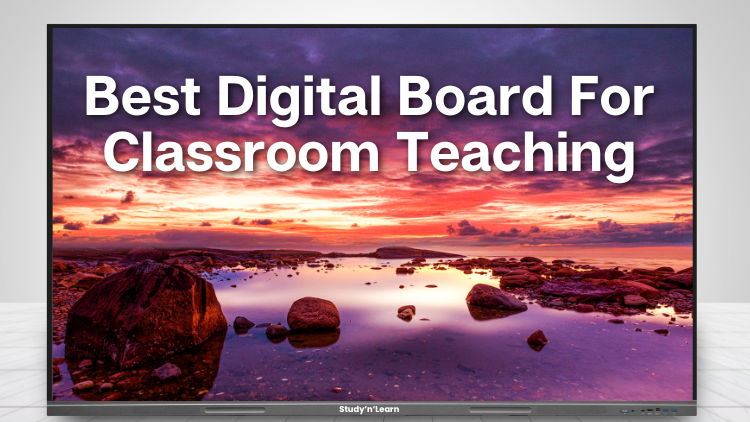
The Studynlearn Interactive Flat Panel is not just any display. It’s the best smart board for teaching and enhancing classroom engagement. Designed to make teaching more effective, this panel brings advanced technology into the classroom to make learning interactive, engaging, and fun for both teachers and students. Let's dive into the key features and benefits that make this the best smart board for the classroom.
What Makes Studynlearn Interactive Flat Panel The Best Digital Board For Classroom?
1. Strong Build Quality and Aesthetic Design That Adds a Modern Touch to Your Classroom

The build quality of the Studynlearn Interactive Flat Panel is unmatched. It’s strong, durable, and designed to last for years. Made with high-quality materials, this panel is the best digital board for teaching because it can handle daily use in busy classrooms.
The aesthetic design adds a modern touch, making your classroom look professional and tech-savvy. This sleek look enhances the learning environment and gives it a polished appearance.
2. 4 mm Thick Toughened Glass Screen for Extra Durability and Safety

Safety is a top priority in the classroom, and this interactive panel has that covered. The screen is made from 4 mm thick toughened glass, making it resistant to impacts. This strong glass protects the panel from accidental knocks or drops, ensuring it lasts longer in high-traffic areas.
You won’t have to worry about damage, and your investment will last for years, making it the best smart board for classrooms where safety is important.
Read More: Buying Interactive Flat Panel For Classroom? Check These Key Features First!
3. Anti-Glare Screen Protects Your Eyes from Harsh Reflections

Another great feature of the Studynlearn Interactive Flat Panel is its anti-glare screen. Teachers and students often spend long hours looking at the board, and harsh reflections can cause eye strain. This panel solves that problem by reducing glare, making it easier to focus on the content.
With this best digital board for classrooms, both teachers and students can enjoy clear, comfortable viewing for extended periods without discomfort.
4. Easy-to-Use Interface for Teachers to Quickly Navigate Through Tools

No one likes complicated technology, especially when teaching. The Studynlearn Interactive Flat Panel has an easy-to-use interface that allows teachers to quickly navigate through menus and tools. With just a few taps, you can access everything you need for a lesson.
This intuitive design makes it the best smart board for teaching, as it saves time and allows you to focus more on engaging with students rather than figuring out how the technology works.
5. High-Quality Audio with Two Front Speakers for an Immersive Learning Experience

The learning experience goes beyond just visuals – sound plays a big part too. This interactive panel comes equipped with two high-quality front speakers that provide clear and immersive audio.
Whether you’re playing an educational video, explaining a concept, or engaging students with interactive quizzes, the sound quality will always be top-notch. This feature alone makes it the best digital board for teaching, enhancing both student attention and comprehension.
6. 4K Resolution for Crystal Clear Display Quality and Outstanding Video Presentations

Teaching with visuals has never been easier. The Studynlearn Interactive Flat Panel boasts a 4K resolution, providing outstanding video quality. This A+ grade display ensures that diagrams, images, and educational videos are shown with superior clarity.
You can present complex information in a visually appealing way, making it easier for students to grasp the material. With this feature, it's no wonder this is the best smart board for classrooms that rely on visual learning.
Read More: Best Interactive Flat Panel Display With Smart Class Content
7. Multiple Connectivity Ports for Easy Device Integration

With multiple connectivity ports on both the front and back, you can easily connect different devices like laptops, tablets, and USB drives. Whether you’re sharing presentations, videos, or documents, this panel allows for seamless integration, making it the best digital board for classrooms with various teaching needs.
8. Annotation Tools Make It Easy to Highlight, Emphasize, and Take Notes on Documents

One of the most useful tools for teachers is the annotation tool. This feature allows you to highlight, emphasize, and take notes directly on documents in real time. It makes the learning process more interactive, helping students stay engaged while you clarify important points.
Teachers can use this feature to provide instant feedback during lessons, making it the best smart board for teaching where interaction is key.
Read More: Buying Interactive Flat Panel For Schools? Save Cost and Get Big Discount On Your Purchase!
9. Annotate Slides in PowerPoint Presentations for Real-Time Highlighting and Emphasis

If you regularly use PowerPoint presentations during your lessons, this feature will be a game-changer. The Studynlearn Interactive Flat Panel allows you to annotate slides as you teach. You can highlight key points, emphasize important ideas, and even draw students’ attention to specific areas of the slide.
This makes your lessons more dynamic and engaging. With this feature, this panel truly stands out as the best smart board for classrooms using multimedia teaching tools.
10. Zero Bonding Technology for Lag-Free, Smooth Writing

The panel’s zero bonding technology ensures that writing on the screen is smooth and responsive, with no lag. Whether you’re writing, drawing, or annotating, the response time is instant, which makes teaching more seamless.
The best digital board for teaching should allow you to write and interact with the content in real-time, and this panel does just that.
11. Multiple Pen and Color Options for Enhanced Interaction

Customization is key when teaching, and the Studynlearn Interactive Flat Panel gives you multiple pen and color options to make your lessons more engaging. You can choose different colors to highlight specific points or use various pen styles to differentiate between ideas.
This flexibility makes it the best smart board for teaching when creativity and interaction are needed.
12. Browse the Internet and Show Images on the Screen to Enhance Learning

With internet browsing capabilities, teachers can easily search the web for additional information, images, or videos to share with the class. This interactive board makes it simple to bring the internet into your lessons, allowing you to show images and resources that help students understand concepts faster.
It’s features like these that make this the best smart board for classrooms, where internet access is important for research and visual learning.
13. Teachers Can Use the Interactive Board to Explain Complex Concepts with Visual Tools

The Studynlearn Interactive Flat Panel is designed to make teaching complex subjects easier. Teachers can use a variety of tools such as drawing 2D-3D shapes, accurate lines, angles, compass, and more. These tools make it easy to explain tough concepts visually.
You can even insert tables, draw mind maps, or import images directly from the web, making this the best digital board for classrooms that need a comprehensive visual teaching aid.
14. Change the Background Color to Customize Lessons and Create a Fun Atmosphere

Teachers can switch between different background colors during lessons to match the topic or create a fun atmosphere in the classroom. This simple yet effective feature makes lessons more visually appealing and helps students stay focused.
It’s one more reason why this is the best smart board for teaching, offering flexibility in presentation styles.
15. Record Lessons and Share Them with Students for Revision and Extra Help

Another standout feature of the Studynlearn Interactive Flat Panel is the ability to record lessons. Teachers can record the entire session and share it with students afterward for revision or extra help. This feature is especially helpful for students who need to review material at their own pace.
It makes this panel the best digital board for classrooms that focus on comprehensive learning.
16. Use the Split-Screen Feature to Display Multiple Contents Side by Side

The split-screen feature allows teachers to display multiple contents simultaneously. You can divide the interactive board into multiple sections and write or display content side by side. This feature is especially useful for comparing different ideas, diagrams, or presentations.
It’s another reason why this is the best smart board for teaching, offering multitasking capabilities in the classroom.
17. High-Quality K-12 Digital Content to Save Time and Provide the Best Learning Resources

The panel comes with high-quality digital content from nursery to class 12th, including animated videos, quizzes, and educational games. This saves teachers time and ensures that students are getting the best learning resources.
With access to a vast library of content, this is the best smart board for classrooms that want to provide a comprehensive, engaging learning experience.
18. Share Your Device’s Screen to the Panel for Seamless Presentations

The Studynlearn Interactive Flat Panel also allows teachers to share their device’s screen over the panel. Whether it’s a laptop, tablet, or smartphone, you can easily connect and display content for the entire class to see.
This feature makes it the best digital board for teaching, offering seamless presentations from any device.
19. Available in Different Variants with the Latest Android Versions

This interactive panel is available in two variants: one with 4GB RAM and 32 GB storage, and another with 8 GB RAM and 128 GB storage. Both run on the latest Android versions, ensuring smooth performance. You also get a range of accessories, including a stylus, power cable, touch cable, HDMI cable, Wi-Fi antenna, remote, and wall bracket.
This makes the Studynlearn Interactive Flat Panel the best smart board for classrooms, offering a complete solution for modern teaching needs.
More Reasons To Choose Studynlearn Interactive Flat Panels - The Best Digital Board For Classroom
Studynlearn Interactive Flat Panels are among the best digital board for classroom with a cost-effective yet high-performance digital teaching solution. These panels are designed to enhance classroom learning with integrated K-12 digital content and advanced AI features. They offer a 4K UHD display for crystal-clear visuals, supporting interactive and engaging lessons. With multi-touch functionality, multiple students can interact simultaneously, promoting collaboration and active learning. The panels come preloaded with educational content, making them ideal for various subjects. Additionally, they include a 3-year on-site warranty, ensuring long-term peace of mind for schools. The energy-efficient design further helps in reducing electricity costs, making them a smart investment for schools.
Key Features of Studynlearn Interactive Flat Panels:
- 4K UHD Display: Offers superior clarity for immersive learning.
- Multi-Touch Support: Allows multiple students to interact simultaneously.
- Preloaded Educational Content: Ready-to-use, curriculum-aligned content.
- 3-Year On-Site Warranty: Ensures long-term reliability.
- Energy-Efficient Design: Helps reduce electricity costs.
Studynlearn AI – Personalized Learning for Indian Classrooms
Studynlearn has developed its own education-focused AI, designed to make teaching more efficient and personalized. Built by a dedicated in-house team, this AI offers step-by-step support tailored to the Indian curriculum. It provides instant lesson planning, quick topic searches, and even question paper generation, significantly reducing teachers' workload.
Key Features of Studynlearn AI:
- Curriculum-Focused: Provides step-by-step answers for Indian classrooms.
- Expert Development: Created by a 155-member in-house team.
- Multilingual Support: Available in English, Hindi, and regional languages.
- Instant Lesson Planning: Quick topic searches and paper generation.
- Vast Resource Library: Access to 6,50,000+ questions.
- Custom Content: Upload PDFs for personalized study materials.
- Fast Content Generation: Creates chapter-wise notes in three days.
Conclusion
The Studynlearn Interactive Flat Panel is the best digital board for teaching and the best smart board for classrooms, offering a range of features designed to enhance the teaching and learning experience.
Whether it’s the high-quality display, multiple connectivity options, annotation tools, or the ability to record and share lessons, this panel has everything teachers need to engage students and improve their learning outcomes.
To know more, call 89270-89270.
Frequently Asked Questions (FAQs)
Look for features like a multi-touch display, 4K resolution, split-screen options, strong durability, easy-to-use interface, connectivity ports (HDMI, USB), and built-in speakers for high-quality audio.
Yes, most digital boards come with user-friendly interfaces and simple tools that make them easy to use, even for teachers with minimal tech experience. Some boards also offer training and support to get started.
A digital board refers to any board that uses technology to interact with content, while an interactive flat panel is a specific type of digital board with advanced touch capabilities, built-in software, and multimedia options.
Yes, digital boards are versatile and can be used across all grade levels, from kindergarten to high school. They are also adaptable for different subjects, making them a great fit for any classroom.
The Studynlearn Interactive Flat Panel is one of the best brands for digital boards. It offers advanced features like 4K resolution, multi-touch functionality, easy annotation tools, and preloaded K-12 digital content. Its durable build and user-friendly interface make it ideal for interactive teaching in classrooms. Teachers can browse the internet, show videos, draw diagrams, and engage students in real-time, making it a versatile and powerful solution for modern education. With additional features like lesson recording, split-screen mode, and seamless device connectivity, Studynlearn stands out as a top choice for educational institutions.
Yes, Studynlearn Interactive Flat Panel supports a range of tools, such as annotation tools, PowerPoint presentations, drawing tools, and the ability to share content from a teacher's device to the board.
