Interactive Flat Panel vs Projector - Which Is Better for Auditoriums?
Interactive Flat Panels
May,13 2026
Mohammad Hamzah
Why Auditoriums Need Advanced Display Technology

Understanding Interactive Flat Panels

Understanding Projectors

Display Quality Matters in Large Auditoriums

Interactive Learning Experience

Ease of Setup and Daily Usage

Maintenance and Long-Term Cost

Better Visibility for Large Audiences

Real Classroom Scenario

Hybrid Learning and Future Readiness

Which Option Should Auditoriums Choose?

Introducing Studynlearn Interactive Flat Panels

Studynlearn Interactive Flat Panels are among the best options for Indian schools looking for a cost-effective yet high-performance digital teaching solution. These panels are designed to enhance classroom learning with integrated K-12 digital content and advanced AI features.
They offer a 4K UHD display for crystal-clear visuals, supporting interactive and engaging lessons. With multi-touch functionality, multiple students can interact simultaneously, promoting collaboration and active learning.
The panels come preloaded with educational content, making them ideal for various subjects. Additionally, they include a 3-year on-site warranty, ensuring long-term peace of mind for schools. The energy-efficient design further helps in reducing electricity costs, making them a smart investment for schools.
SNL Board: Studynlearn panels come with an integrated SNL Board designed to enhance classroom teaching. It offers complete K–12 content, AI course, 3D models, interactive tools, and rich teacher resources to make lessons more engaging and effective. Teachers can easily generate question papers for classes 1 to 12 and download them in document or PDF format.
Students can perform virtual science experiments, watch real-life videos, and explore practical examples related to their topics, making learning more interactive and easier to understand.
Key Features of Studynlearn Interactive Flat Panels:
- 4K UHD Display: Offers superior clarity for immersive learning.
- Google EDLA: Google EDLA Certified Interactive Flat Panels.
- AI Board: In-built AI board with numerous Interactive tools for interactive learning and teaching. Made In-house with a team of 155 members.
- Operating System: Latest Android 16 with Octa-core Processor
- Multi-Touch Support: Allows multiple students to interact simultaneously.
- Preloaded Educational Content: Ready-to-use, curriculum-aligned content.
- Camera and Mic: Built-in camera and mic for video conferencing and online classes
- 3-Year On-Site Warranty: Ensures long-term reliability.
- Energy-Efficient Design: Helps reduce electricity costs.
Studynlearn AI – Personalized Learning for Indian Classrooms

Studynlearn has developed its own education-focused AI, designed to make teaching more efficient and personalized. Built by a dedicated in-house team, this AI offers step-by-step support tailored to the Indian curriculum. It provides instant lesson planning, quick topic searches, and even question paper generation, significantly reducing teachers' workload.
Key Features of Studynlearn AI:
- Curriculum-Focused: Provides step-by-step answers for Indian classrooms.
- Expert Development: Created by a 155-member in-house team.
- Multilingual Support: Available in English, Hindi, and regional languages.
- Instant Lesson Planning: Quick topic searches and paper generation.
- Vast Resource Library: Access to 6,50,000+ questions.
- Custom Content: Upload PDFs for personalized study materials.
- Fast Content Generation: Creates chapter-wise notes in three days.
Conclusion
Frequently Asked Questions (FAQs)
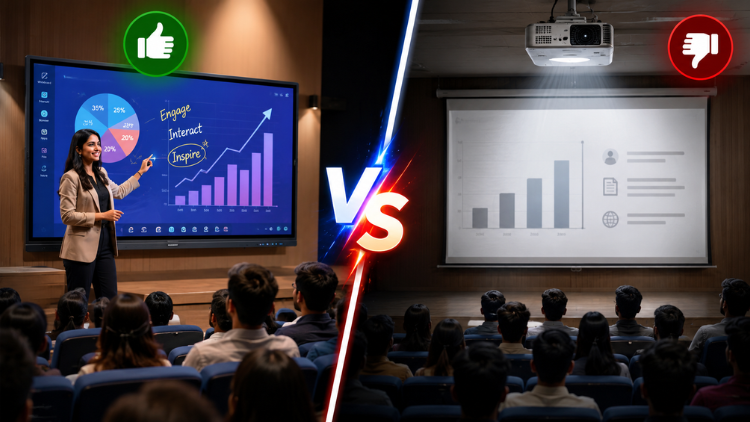
Many schools now prefer interactive flat panels because they provide better image quality, stronger brightness, and smoother classroom interaction. In large auditoriums, students sitting at the back can easily view text, videos, and presentations on an interactive flat panel. Teachers can also write directly on the screen, annotate diagrams, and save notes instantly. Projectors often struggle in bright lighting conditions and usually require darker rooms for proper visibility. Schools also spend more money on projector maintenance, lamp replacements, and servicing. Interactive flat panels support modern teaching methods, hybrid learning, and wireless sharing, making them a more practical and future-ready option for auditoriums and educational institutions.
Yes, interactive flat panels work very effectively in large auditoriums when institutions choose the correct screen size. Modern panels offer ultra-HD 4K resolution, high brightness, and wide viewing angles that help audiences view content clearly from different seating positions. Teachers and presenters can conduct seminars, workshops, and training sessions more efficiently using touchscreen features and smart annotation tools. Unlike projectors, interactive flat panels do not lose image quality because of ambient lighting. Many Indian schools and colleges now use large interactive flat panels in auditoriums for digital teaching, conferences, and student presentations because they provide a more professional and engaging learning environment.
Interactive flat panels require significantly less maintenance compared to projectors. Projectors usually need regular lamp replacements, filter cleaning, and periodic servicing to maintain image quality. Dust accumulation and brightness reduction also affect projector performance over time. In contrast, interactive flat panels operate without lamps or filters, which reduces ongoing maintenance costs. Schools and colleges benefit from consistent display quality and fewer technical interruptions. Many educational institutions prefer interactive flat panels because teachers can use them daily without worrying about alignment issues or blurry visuals. This low-maintenance advantage makes interactive flat panels a cost-effective solution for long-term classroom and auditorium usage.
Interactive flat panels improve student engagement by making presentations more visual and interactive. Teachers can explain concepts directly on the screen, highlight important points, and use multimedia content during lectures. Students can participate by interacting with touchscreen activities, quizzes, and collaborative learning exercises. Large auditorium sessions often become more interesting because animations, videos, and diagrams appear clearer and more dynamic on interactive flat panels. Traditional projectors mainly display static content and offer limited interactivity without additional devices. Interactive flat panels create a more immersive learning environment that keeps students focused, improves understanding, and encourages active participation during seminars and classroom presentations.
Yes, interactive flat panels strongly support hybrid learning and online collaboration. Most modern panels include built-in Android systems, wireless screen sharing, cloud access, and compatibility with video conferencing platforms like Zoom and Google Meet. Teachers can conduct live classes, record lectures, and share educational content with remote students easily. This flexibility helps schools and colleges manage both physical and online audiences during seminars, workshops, and training programs. Projectors usually require additional devices and accessories to achieve similar functionality. Interactive flat panels simplify hybrid teaching by combining display, collaboration, and communication tools into one smart system for modern educational auditoriums.
Interactive flat panels provide much better visibility in bright auditorium environments. Their high-brightness LED displays maintain sharp images and vibrant colors even under strong lighting conditions. Students can easily read text and view videos without dimming classroom lights. Projectors often struggle in well-lit spaces because ambient light reduces image clarity and contrast. Many institutions need to darken the room for projector presentations, which may affect student concentration during long sessions. Interactive flat panels eliminate this issue by delivering consistent brightness and superior image quality throughout the day. This advantage makes them ideal for schools, colleges, and training centers with large auditoriums.
Interactive flat panels offer strong long-term value for schools and educational institutions. Although their initial cost may appear higher than projectors, they usually save money over time through reduced maintenance and longer operational life. Schools avoid recurring expenses such as lamp replacements, servicing charges, and filter cleaning. Interactive flat panels also support multiple teaching functions, including digital whiteboarding, video playback, wireless sharing, and hybrid learning tools. This all-in-one functionality reduces the need for additional classroom equipment. Institutions that want future-ready technology often choose interactive flat panels because they improve learning quality, simplify classroom management, and provide dependable performance for many years.
The ideal screen size depends on auditorium dimensions, audience capacity, and viewing distance. Larger auditoriums generally require 86-inch or 98-inch interactive flat panels for better visibility. Schools should ensure that students sitting in the last rows can comfortably read text and view visuals without difficulty. Many educational institutions prefer larger displays because they improve audience attention during seminars, training sessions, and annual events. Interactive flat panels with 4K resolution also maintain image sharpness on bigger screens. Institutions should evaluate room size, seating arrangement, and presentation requirements before selecting a screen size that provides the best viewing experience for all attendees.
Yes, most teachers can learn to use interactive flat panels quickly because the interface feels simple and user-friendly. The touchscreen experience works similarly to smartphones and tablets, which makes navigation easy for educators. Teachers can open presentations, write notes, play videos, and browse online resources directly from the panel. Many systems also support wireless screen sharing and one-touch annotation tools. Unlike projectors that may require alignment adjustments and external accessories, interactive flat panels offer a smoother daily experience. Educational institutions often provide short orientation sessions, and teachers usually become comfortable using the technology within a few days of practice.
Interactive flat panels modernize school auditoriums by introducing smart teaching, digital collaboration, and professional presentation capabilities. They transform traditional presentation halls into advanced learning environments that support multimedia education and interactive communication. Teachers can conduct engaging sessions using videos, annotations, educational apps, and live discussions. Schools can also host hybrid events, teacher training workshops, and online seminars more efficiently. Interactive flat panels reduce dependency on multiple devices because they combine display, whiteboard, and collaboration tools in one system. Institutions that adopt this technology create a more innovative and future-ready atmosphere that improves both learning experiences and presentation quality for students and educators alike.
