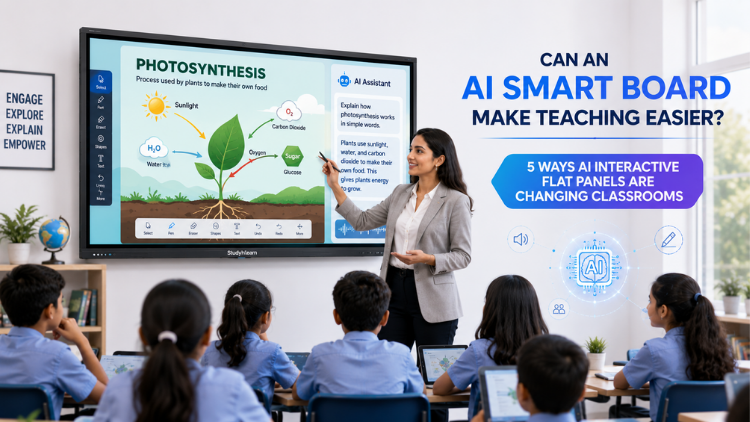
Can an AI Smart Board Make Teaching Easier? 5 Ways AI Interactive Flat Panels Are Changing Classrooms
Interactive Flat Panels
August,29 2026
Mohammad Hamzah
What Makes an AI Smart Board Different?

5 Ways AI Interactive Flat Panels Are Changing Classrooms

1. Making Classroom Interaction More Natural
2. Helping Teachers Deliver More Interactive Lessons
3. Making Hybrid Teaching Easier
4. Supporting Better Student Participation
5. Reducing Everyday Classroom Technology Friction
Does AI Really Make a Teacher's Job Easier?

Teacher Training
Infrastructure
Teaching Strategy
AI Smart Board vs Conventional Interactive Panel

| Capability | Conventional Interactive Panel | AI-Enabled Panel |
| Touch Interaction | Yes | Yes |
| Digital Annotation | Yes | Yes |
| Multimedia Teaching | Yes | Yes |
| Voice-Related Functions | Model-dependent | AI-enabled on supported models |
| Intelligent Camera Features | Limited/model-dependent | Available on supported models |
| AI-Assisted Audio | Model-dependent | Available on supported models |
| Gesture Recognition | Limited/model-dependent | Available on supported models |
| Smart Functions | Model-dependent | Available on supported models |
| AI-Assisted Functions | Limited | More extensive on supported models |
Who Can Benefit Most From AI-Powered Classroom Displays?

- Schools: Interactive displays support multimedia lessons, collaborative activities, demonstrations, and digital learning.
- Colleges and universities: Lectures, seminars, presentations, hybrid sessions, and remote collaboration can benefit from integrated display and AV capabilities.
- Coaching institutes: Teachers can use interactive diagrams, problem-solving exercises, test preparation, and multimedia explanations.
What Should Schools Check Before Choosing an AI Interactive Panel?

- Identify classroom requirements: Define the teaching and collaboration problems the display should solve.
- Verify AI features: Check exactly which functions are available on the specific model.
- Test touch responsiveness: Smooth performance matters during writing and demonstrations.
- Check display quality: Evaluate resolution, brightness, viewing angles, and readability.
- Evaluate camera and microphone capabilities: Test framing, voice pickup, and noise reduction.
- Check software compatibility: Confirm teaching applications work with existing systems.
- Test screen sharing: Verify how easily teachers and students can share content.
- Review privacy and security: Understand camera, microphone, account, data, and software permissions.
- Ask about teacher training: Confirm onboarding and practical support.
- Check warranty and support: Review coverage, updates, service response, and technical assistance.
The Future of AI-Powered Classrooms

Introducing Studynlearn Interactive Flat Panels

Studynlearn Interactive Flat Panels are among the best options for Indian schools looking for a cost-effective yet high-performance digital teaching solution. These panels are designed to enhance classroom learning with integrated K-12 digital content and advanced AI features.
They offer a 4K UHD display for crystal-clear visuals, supporting interactive and engaging lessons. With multi-touch functionality, multiple students can interact simultaneously, promoting collaboration and active learning. The panels come preloaded with educational content, making them ideal for various subjects.
Additionally, they include a 3-year on-site warranty, ensuring long-term peace of mind for schools. The energy-efficient design further helps in reducing electricity costs, making them a smart investment for schools.
Key Features of Studynlearn Interactive Flat Panels:
- 4K UHD Display: Offers superior clarity for immersive learning.
- Google EDLA: Google EDLA-certified interactive flat panels.
- SNL Board: In-built SNL board with numerous Interactive and AI tools for interactive learning and teaching. Made In-house with a team of 155 members.
- Operating System: Latest Android 16 with an octa-core processor
- Multi-Touch Support: Allows multiple students to interact simultaneously.
- Preloaded Educational Content: Ready-to-use, curriculum-aligned content.
- Camera and Mic: Built-in camera and mic for video conferencing and online classes
- 3-Year On-Site Warranty: Ensures long-term reliability.
- Energy-Efficient Design: Helps reduce electricity costs.
Studynlearn SNL Board

The Studynlearn Interactive Flat Panel comes with an integrated SNL Board, a powerful education-focused platform developed by Studynlearn’s dedicated in-house team of 155+ professionals to make classroom teaching more efficient, engaging, and personalized.
Designed to support the Indian curriculum, the SNL Board provides complete K–12 content, AI courses, 3D models, interactive teaching tools, and rich teacher resources that enhance the learning experience.
Teachers can instantly create lesson plans, quickly search topics, generate question papers for classes 1 to 12, and download them in document or PDF format, significantly reducing their workload.
Students benefit from virtual science experiments, real-life educational videos, and practical examples related to their subjects, making complex concepts easier to understand and learning more interactive and effective.
Key Features of Studynlearn SNL Board:
- Curriculum-Focused: Provides step-by-step solutions aligned with the Indian curriculum.
- Multilingual Support: Available in English, Hindi, and various regional languages.
- Fast Content Generation: Creates chapter-wise notes within three days.
- Smart Write: Write content in multiple languages, use text recognition to convert handwritten text into clear and readable digital text, and transform standard text-based equations into properly formatted mathematical formulas.
- K–12 Content: Integrated with comprehensive K–12 educational content.
- Interactives: Practice virtual experiments of Mathematics, Physics, Chemistry, and Biology.
- 3D Models: 3D models for Mathematics, Physics, Chemistry, Biology, and Social Science.
- AI Course: 80+ AI tools, step-by-step learning along with illustrative books.
- Instant Lesson Planning: Enables quick topic searches and question paper generation.
- Vast Resource Library: Offers access to over 6,50,000 questions.
- Custom Content: Allows users to upload PDFs and create personalized study materials.
Conclusion
Frequently Asked Questions (FAQs)
Yes, an AI smart board can make certain teaching and classroom-technology tasks easier when its features match the teacher's needs. Depending on the model, AI capabilities may include voice interaction, intelligent camera functions, noise reduction, gesture recognition, handwriting recognition, and smart annotation. These tools can reduce the need to switch between multiple devices during a lesson and support more interactive presentations. AI can also assist with hybrid teaching and collaborative activities. However, an AI-enabled display does not replace teacher expertise. Its effectiveness depends on lesson planning, teacher training, software compatibility, classroom infrastructure, and how meaningfully the technology is integrated into teaching.
An AI interactive flat panel is a large touchscreen display that combines interactive classroom technology with selected artificial intelligence capabilities. It can support digital writing, multimedia presentations, screen sharing, educational applications, and collaborative learning. Depending on the model, AI features may include voice recognition, intelligent camera processing, AI-assisted audio, gesture recognition, handwriting recognition, or automated framing. These capabilities can provide teachers with additional ways to interact with digital content and communicate with students. Since AI features vary between manufacturers and models, schools should review the exact specifications and test the available functions before purchasing.
AI can help teachers by reducing friction around certain classroom technology tasks. Depending on the available system, AI-powered functions can support voice interaction, handwriting recognition, intelligent annotation, camera tracking, noise reduction, and hybrid communication. Teachers can combine these capabilities with presentations, videos, diagrams, digital textbooks, websites, and interactive activities. For example, an intelligent camera can help keep a teacher or speaker visible during a hybrid lesson, while speech or handwriting recognition may simplify certain interactions. AI should be treated as a support tool rather than a replacement for teaching expertise, classroom judgment, or effective lesson planning.
The difference depends on the specific models being compared. A conventional interactive panel generally provides touchscreen interaction, digital annotation, multimedia playback, connectivity, and presentation capabilities. An AI smart board may add intelligent functions such as voice recognition, AI-assisted audio, intelligent camera processing, gesture recognition, handwriting recognition, or automated framing. However, not every AI-enabled product includes all these capabilities. Schools should therefore compare individual features rather than relying only on product terminology. The main advantage of AI is the possibility of making certain interactions more automated, responsive, or convenient for teachers and students.
An AI interactive flat panel can provide multiple ways for teachers and students to interact with digital learning content. Touchscreen functions allow users to write, annotate, move objects, solve problems, and participate in interactive activities. Depending on the model, AI features can add voice interaction, gesture recognition, handwriting recognition, intelligent camera functions, or AI-assisted audio. These capabilities can support multimedia lessons, collaborative exercises, presentations, and hybrid learning. However, technology alone does not guarantee student engagement. Teachers need to design meaningful activities and use the available tools according to the subject, learning objectives, student age, and classroom environment.
Yes, AI interactive panels can support hybrid classrooms when combined with compatible cameras, microphones, conferencing applications, and reliable internet connectivity. AI-enabled camera systems may offer features such as auto-framing, speaker tracking, or participant detection on supported models. AI-assisted microphone technologies may also help with voice pickup and noise reduction. Teachers can display presentations, digital resources, and remote participants while continuing to annotate content on the interactive display. The effectiveness of a hybrid setup depends on more than the panel itself. Schools also need appropriate networking, audio-video equipment, conferencing software, teacher training, and suitable privacy practices.
Schools should select AI features based on actual classroom requirements rather than choosing a product simply because it is marketed as AI-enabled. Useful features may include voice or speech recognition, intelligent camera capabilities, AI-assisted microphones, noise reduction, gesture recognition, handwriting recognition, smart annotation, and automated video framing. Schools should also evaluate display resolution, touch responsiveness, operating system, educational software, connectivity, security, warranty, and technical support. During a product demonstration, teachers should test the features they are most likely to use. This helps schools determine whether the AI capabilities provide practical classroom value instead of simply adding technical specifications.
An AI smart board can be useful across many classrooms, but the ideal configuration depends on the school's requirements. Primary classrooms may benefit from interactive visual activities, while secondary schools may use AI-enabled displays for multimedia lessons, demonstrations, presentations, and collaborative problem-solving. Colleges and coaching institutes can also use them for lectures and hybrid learning. However, schools should consider classroom size, student strength, teaching methods, available infrastructure, software requirements, budget, and teacher familiarity with technology. Not every classroom needs the same AI features. A requirements-based approach helps institutions avoid paying for capabilities that may not be used regularly.
Before purchasing, schools should check display quality, screen size, touch responsiveness, processing performance, operating system, connectivity, educational software, AI features, camera and microphone capabilities, warranty, installation, updates, and after-sales support. Schools should also determine whether AI features are built into the panel or require additional hardware, software, internet access, or subscriptions. A live demonstration is strongly recommended. Teachers can test writing, annotation, screen sharing, multimedia playback, voice functions, camera tracking, and conferencing features. Schools should also consider data privacy and security when cameras, microphones, cloud services, or AI-powered applications are used in educational environments.
AI-powered interactive panels can be a worthwhile investment when their capabilities solve genuine classroom needs and the institution has the infrastructure and training to use them effectively. They can combine interactive teaching, multimedia content, collaboration, hybrid learning, intelligent camera functions, voice interaction, and other AI-assisted capabilities in one classroom environment. However, schools should not evaluate the investment based solely on the presence of AI. Display quality, touch performance, software compatibility, reliability, warranty, technical support, maintenance, and total cost of ownership are equally important. The best solution is one where AI meaningfully supports teachers and students rather than simply adding technology for its own sake.
