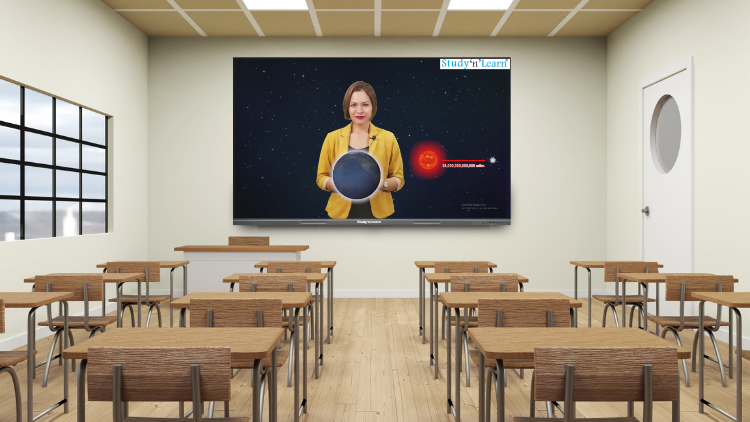
StudynLearn AI: 15+ Powerful AI Features Transforming the Modern Classroom
Interactive Flat Panels
|
September,24 2026
|
Mohammad Hamzah
What if a teacher could turn a classroom topic into visuals, videos, quizzes, diagrams, 3D models, and learning resources within seconds? What if mathematical equations could be solved step by step, question papers could be generated automatically, and complete lesson resources could be accessed from one place?
This is what makes StudynLearn AI a powerful addition to modern digital teaching.
Integrated into the StudynLearn Interactive Flat Panel, this AI-powered teaching ecosystem helps teachers create more visual, interactive, and engaging lessons. From Smart Write and AI Teaching Assistant to virtual experiments, 3D models, AI courses, and K–12 content, teachers get a wide range of tools designed to support everyday classroom requirements.
Let’s explore the key features that make StudynLearn AI a powerful solution for an AI smart classroom.
Smart Write: Intelligent Writing for Teachers
The Smart Write feature brings multiple digital writing tools together on the panel. Teachers can use the pencil tool for writing and drawing, choose colours, and adjust line thickness according to their requirements.
The highlighter can be used to emphasise important points during a lesson.
Smart Write also supports multiple regional languages, including Hindi, Gujarati, Tamil, Marathi, Bengali, Telugu, Malayalam, Kannada and Urdu. As teachers write, the system can provide suggestions that can be selected to convert handwriting into digital text.
With Auto Write, text can be converted directly without the suggestion step. The Smart Formula Pen can also recognise mathematical formulas and convert handwritten equations into a cleaner digital mathematical format.
AI Teaching Assistant: Teaching Resources in Seconds
Preparing supporting resources for every lesson can take considerable time. The AI Teaching Assistant is designed to simplify this process.
AI Help for Interactive Learning
Teachers can enter or select a topic and receive relevant explanations, practice questions, MCQs with answers, videos, images and real-life examples. Resources can also be accessed in multiple languages, helping teachers adapt their lessons to different learning requirements.
For an interactive flat panel with AI, having these resources accessible from the same teaching environment can reduce the need to switch repeatedly between different applications and websites.
AI Image Search for Visual Learning
Teachers can also import an image and use AI Image Search to explore it.
StudynLearn AI can provide explanations related to the image, practice questions, videos, additional images and real-life examples. If the image contains labels or text, teachers can select specific elements and explore detailed explanations.
This can be especially useful for science diagrams, geography maps, historical images and other visual learning materials.
The AI Solutions feature helps teachers explore mathematical questions and equations with step-by-step solutions.
It can also assist with questions from other subjects, providing simplified explanations that teachers can use while teaching.
Instead of spending additional time searching for solutions, educators can use the AI directly through the AI smart board to support classroom explanations.
Teacher Resource Area: Everything for Lesson Preparation
The Teacher Resource Area brings lesson resources together in one place.
Teachers can select the Standard, Subject, Book and Chapter and access resources related to the selected lesson. These can include:
Lesson Plans
Study Notes
Key Points
Key Terms
Real-Life Examples
Fun Facts
Group Activities
Chapter Summaries
This can help teachers prepare lessons more efficiently while adding activities and supporting material to their classroom teaching.
AI Question Paper Generator
Creating tests and question papers can be time-consuming. StudynLearn AI includes an AI Question Paper Generator that allows teachers to create chapter-wise papers in seconds.
Teachers can select the Standard, Subject, Book and one or multiple Chapters. They can then choose Objective, Subjective or a combination of both question types and specify the total marks.
The generated paper can be downloaded as a PDF or converted into an editable Word document for further customisation.
Interactives: Interactive Virtual Experiments
With Interactives, students can explore virtual experiments for subjects such as Physics, Chemistry, Biology and Mathematics.
Teachers can demonstrate concepts directly on the panel and allow students to observe interactive simulations. This can be useful when physical experiments are difficult to conduct in a regular classroom or when teachers want to supplement practical learning with digital demonstrations.
3D Models for Better Concept Visualisation
Some concepts are difficult to understand through two-dimensional diagrams alone.
The 3D Models feature allows teachers to display structures that students can explore visually. Teachers can rotate models, zoom in and examine different parts while explaining the concept.
This can make subjects involving structures, anatomy, scientific models and other three-dimensional concepts more visual.
AI Courses for Next-Generation Skills
StudynLearn AI also includes AI Courses designed to introduce students to practical applications of artificial intelligence.
Students can learn how to create talking avatars, singing avatars, AI-generated images, animations, cinematic videos, interactive talking videos, music videos, animated videos, posters, comic books, storybooks, presentations, websites and games.
The course includes 40+ videos, 40+ AI tools, 60+ real-world projects and 20+ hours of learning content, along with illustrated learning books.
This gives schools an opportunity to introduce students to practical AI skills through guided learning and projects.
The StudynLearn Interactive Flat Panel comes with integrated K–12 educational content, covering nursery through Class 12.
The platform provides 2 million learning resources, 50,000+ animated videos, 1 lakh+ practice questions and 10,000+ interactive tools and games. The content is bilingual in English and Hindi and is mapped to CBSE, ICSE, and other major boards.
NCERT books are also integrated, including solved NCERT content, reducing the need to search for resources separately.
The content ecosystem includes real-life videos, experiments, geography maps, labelled science diagrams, history timelines, information about great personalities, Formula Master resources, HOTS questions, topper answers, previous-year question papers and Scholar Zone resources for Mathematics and Science Olympiad preparation.
Together, these resources help transform the panel into more than just a digital display, it becomes a comprehensive teaching platform for an AI smart classroom.
Easy File Transfer with QR Code
Teachers can transfer files directly to the panel using Easy Import with QR Code Scan.
Instead of relying on external storage devices, teachers can scan the QR code and transfer compatible files directly to the panel, making it easier to bring presentations, documents and other teaching resources into the classroom.
Why Choose Studynlearn?
StudynLearn brings extensive experience in the education technology space, with 15+ years in the education industry, 40+ offices across India, 6,000+ schools using its products and a network of 500+ distributors.
StudynLearn also manufactures its Interactive Flat Panels, providing the company with greater control over its hardware and technology ecosystem.
With this combination of AI software, digital content, interactive hardware and support infrastructure, schools can build an AI smart classroom around a single integrated teaching platform.
The Future of Teaching Is More Interactive
An interactive flat panel with AI can change how teachers prepare, explain and demonstrate lessons. From converting handwriting into digital text to generating question papers, solving equations, exploring images, demonstrating experiments and presenting 3D models, StudynLearn AI brings multiple teaching capabilities together.
For schools planning to introduce an AI smart board or build a technology-enabled classroom, these tools can provide teachers with a broader digital teaching environment while giving students more opportunities for visual and interactive learning.
StudynLearn AI is ultimately designed around a simple idea: technology should make teaching more engaging, resources more accessible, and learning more interactive.
For More Information, call or WhatsApp us on: 89270-89270.
Frequently Asked Questions (FAQs)
StudynLearn AI is an AI-powered educational software integrated with StudynLearn Interactive Flat Panels. It provides teachers with tools for lesson preparation, visual learning, question solving, content discovery and classroom interaction. Features include Smart Write, AI Teaching Assistant, AI Image Search, AI Solutions, Teacher Resource Area, AI Question Paper Generator, virtual experiments, 3D models and AI Courses. It also provides integrated K–12 educational content. Teachers can use these tools directly through the panel to create more visual and interactive lessons without repeatedly switching between different platforms.
An interactive flat panel with AI combines touchscreen classroom hardware with AI-powered teaching software. Teachers can write, draw, annotate, search for educational resources, solve questions, generate question papers and explore visual learning material from the panel. StudynLearn AI additionally provides features such as AI Teaching Assistant, AI Image Search, AI Solutions and Teacher Resource Area. This combination can reduce the time teachers spend searching for supporting material and help them incorporate more interactive resources into everyday lessons.
An AI smart board is an interactive digital teaching display that combines touchscreen capabilities with AI-powered software and educational tools. It can support traditional digital-board functions such as writing, annotation, presentations and multimedia playback while also providing AI-assisted capabilities. With StudynLearn AI, teachers can access features such as AI explanations, image-based learning, question solving, question paper generation and educational resources. This allows the board to function as a broader teaching platform rather than simply displaying content.
The StudynLearn AI Teaching Assistant can provide teachers with supporting resources based on a selected topic. These may include explanations, practice questions, MCQs with answers, related videos, images and real-life examples. Teachers can use these resources while preparing or delivering lessons. The availability of multiple languages can also help teachers adapt resources for different classroom requirements. Because the resources are accessed through the same teaching ecosystem, educators can spend less time moving between separate applications while preparing supporting material.
Yes. StudynLearn AI includes an AI Question Paper Generator designed to help teachers create chapter-wise question papers. Teachers can select the Standard, Subject, Book and one or multiple Chapters. They can then choose Objective, Subjective or mixed questions and specify the total marks. After generation, the question paper can be downloaded as a PDF or converted into an editable Word format. Teachers can then review and customise the generated paper according to their curriculum, assessment requirements and classroom needs before using it.
The 3D Models feature allows teachers to display three-dimensional educational models that can be rotated and zoomed while explaining concepts. This can be useful for subjects where understanding structures is important. The Interactive Experiments feature provides virtual experiments for areas such as Physics, Chemistry, Biology and Mathematics. Teachers can demonstrate concepts directly on the Interactive Flat Panel, allowing students to observe digital simulations. These tools can supplement classroom explanations and provide additional visual methods for understanding concepts.
The Teacher Resource Area is a section of StudynLearn AI designed to provide lesson-related resources in one place. Teachers select the Standard, Subject, Book and Chapter to access available resources. These can include lesson plans, study notes, key points, key terms, real-life examples, fun facts, group activities and chapter summaries. By bringing these materials together, the Teacher Resource Area can support lesson preparation and help educators add different types of learning activities to their classroom teaching.
StudynLearn provides integrated K–12 educational content from nursery through Class 12. According to the supplied product information, it includes 2 million learning resources, more than 50,000 animated videos, more than 1 lakh practice questions and more than 10,000 interactive tools and games. The content is available in English and Hindi and is mapped to CBSE, ICSE and other major boards. NCERT books and solved NCERT content are also integrated. Additional resources include experiments, maps, diagrams, timelines, HOTS questions, previous-year papers and Olympiad practice.
StudynLearn AI Courses are designed to introduce students to practical applications of artificial intelligence and digital creation. Depending on the course content, students can learn to create talking avatars, AI-generated images, animations, cinematic videos, interactive videos, music videos, posters, comic books, storybooks, presentations, websites and games. The supplied course information includes 40+ learning videos, 40+ AI tools, 60+ real-world projects and 20+ hours of content, along with illustrated learning books. These resources can provide students with guided, project-based exposure to AI applications.
Schools can use StudynLearn AI together with a compatible Interactive Flat Panel to create an AI smart classroom where teaching combines digital content, AI assistance and interactive tools. Teachers can use Smart Write for digital writing, AI Teaching Assistant for lesson resources, AI Solutions for questions, virtual experiments for demonstrations, 3D models for visualisation and the Question Paper Generator for assessments. K–12 content provides additional teaching resources. The exact classroom setup can be selected according to the school's curriculum, infrastructure, software requirements and preferred Interactive Flat Panel configuration.
We use cookies to enhance your browsing experience and analyze site traffic. By clicking "Accept All", you consent to our use of cookies as described in our Privacy Policy.