Studynlearn Launches India’s First Android 16 Interactive Flat Panel – The Future of Smart Classrooms
Interactive Flat Panels
February,27 2026
Mohammad Hamzah
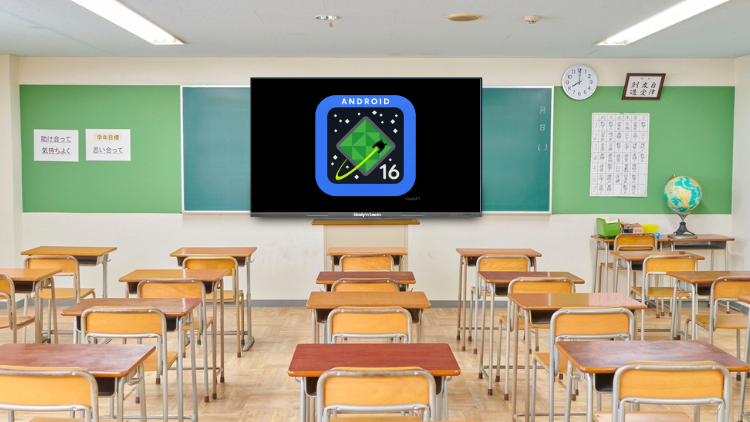
India’s First Android 16 Interactive Flat Panel

- Faster processing
- Better app compatibility
- Improved security updates
- Smoother multitasking
- Long-term software support
Powerful DDR5 RAM – Experience Zero Lag Performance

- Faster speed
- Smooth performance
- Quick app loading
- Instant app switching
- Zero lag experience
Octa-Core 3576 Chipset – Built for Multitasking

- Run multiple apps at the same time
- Play HD videos smoothly
- Show animations without buffering
- Conduct live demonstrations
- Write and draw without delay
50-Point Multi-Touch – True Interactive Learning

- Solve questions together
- Participate in group activities
- Work on collaborative projects
- Write answers simultaneously
HDMI Out Support – Easy Screen Sharing

- Mirror the panel screen to a laptop
- Connect to external displays
- Record classroom sessions
- Share live presentations
Introducing the Studynlearn AI Board – Smart Teaching Redefined

Smart Write Tool – Clean and Clear Handwriting Instantly

- Clean
- Clear
- Readable digital text
- English
- Hindi
- Marathi
- Gujarati
- And many more regional languages
Smart Formula Tool – Automatic Mathematical Formatting

- Algebraic equations
- Calculus formulas
- Trigonometry expressions
- Physics equations
Interactive 3D Simulations – Virtual Experiments Made Easy

- Physics
- Chemistry
- Biology
- Mathematics
- Rotate 3D models
- Observe simulations
- Interact with experiments
- Visualize difficult concepts
QR Code File Transfer – No External Device Needed

- Pen drives
- External hard drives
- Additional devices
Teaching Resource Assistant – Multi-Language Smart Content

- Bengali
- Marathi
- Hindi
- Or any other regional language
- Lesson plans
- Study notes
- Teaching materials
Question Paper Generator – Language-Based Smart Assessment

- Save time
- Create exams quickly
- Prepare practice worksheets
- Conduct regular assessments
Fully Integrated K–12 Content – Complete Curriculum Support

- Nursery to Class 12 complete content
- HD animated videos
- Concept-based explanations
- Interactive quizzes
- Educational games
In-Built DMS Software – Centralized Control

- Control multiple panels from one place
- Monitor classroom activity
- Update content remotely
- Manage system settings
Easy Purchase Options – Available on EMI
- Call 89270-89270 for inquiries
- Avail easy EMI options for schools
- Order from Amazon
- Order from Flipkart
Why This Panel Is the Future of Education

- Android 16 technology
- DDR5 high-speed RAM
- Octa-Core powerful chipset
- 50-point multi-touch
- AI-powered Smart Write and Smart Formula
- 3D simulations
- Multi-language teaching tools
- Fully integrated K–12 content
- In-built DMS software
Frequently Asked Questions (FAQs)
The biggest difference is that Studynlearn offers India’s first Android 16 Interactive Flat Panel with DDR5 RAM, while many other brands still use older Android versions and DDR4 RAM. Android 16 ensures better app compatibility, smoother performance, and long-term updates. DDR5 RAM delivers faster speed and zero lag performance. The panel also includes an Octa-Core 3576 chipset, 50-point multi-touch, AI-powered tools, and fully integrated K–12 content. These features make it future-ready and ideal for modern classrooms that demand speed, multitasking, and smart learning solutions.
DDR5 RAM is faster and more efficient than DDR4 RAM. It allows apps to open quickly, switch smoothly, and run without delay. In a classroom, teachers often use videos, presentations, whiteboard tools, and quizzes together. With DDR5 RAM, everything runs smoothly without hanging or buffering. Students do not face interruptions during explanations. This improves teaching flow and keeps learners engaged. Faster processing also reduces waiting time, making lessons more productive and interactive. Overall, DDR5 ensures zero lag and a smooth teaching experience.
The Octa-Core 3576 chipset provides strong multitasking capabilities. Teachers can run multiple applications at the same time without slowing down the system. You can play HD videos, display animations, write on the board, and conduct live activities simultaneously. The chipset ensures stable and smooth performance even during heavy usage. In busy classrooms, this matters a lot. It prevents crashes, delays, and system freezing. With this processor, teachers get uninterrupted teaching time, and students enjoy a seamless learning experience.
The 50-point multi-touch feature allows multiple students to interact with the panel at the same time. Students can solve questions together, participate in group tasks, and collaborate during activities. This makes learning more engaging and practical. Instead of only listening to lectures, students actively participate. It increases classroom interaction and builds teamwork skills. Teachers can conduct quizzes and collaborative exercises more effectively. This feature transforms traditional teaching into a fully interactive and student-centered learning environment.
The Studynlearn AI Board acts like a smart teaching assistant. It includes advanced tools such as Smart Write and Smart Formula. Smart Write converts handwritten text into neat, readable digital text automatically. Smart Formula transforms handwritten equations into proper mathematical format. These features save time and improve clarity. The AI Board also supports multiple languages, helping teachers in regional medium schools. It reduces manual effort and enhances presentation quality. This makes teaching smarter, faster, and more professional.
Yes, the panel supports multiple regional languages. Teachers can write in English, Hindi, Marathi, Gujarati, Bengali, and more using the Smart Write tool. The Teaching Resource Assistant can also generate lesson plans and study materials in the selected language. Even the Question Paper Generator produces questions in the chosen language. This makes the panel highly suitable for regional medium schools across India. It ensures that teachers can teach comfortably in their preferred language without any limitation.
Interactive 3D simulations allow students to perform virtual experiments in subjects like Physics, Chemistry, Biology, and Mathematics. Instead of only reading theory, students can visualize concepts in 3D. They can rotate models, observe reactions, and understand practical applications. This improves conceptual clarity and memory retention. Complex topics become easier to understand when students see them in action. It also makes lessons interesting and engaging. 3D simulations bring real-life experience into the classroom without requiring physical lab setups.
The panel comes with complete K–12 content, from Nursery to Class 12. Teachers get access to HD animated videos, concept explanations, interactive quizzes, and educational games. This saves preparation time and ensures syllabus coverage. Students understand difficult topics easily through visual learning. Regular quizzes help in practice and revision. Educational games make lessons fun and interactive. Schools do not need to purchase separate content subscriptions. Everything is integrated within the panel, making it a complete smart classroom solution.
The in-built DMS (Device Management Software) allows schools to control multiple panels from a single system. Administrators can update content, manage settings, and monitor usage remotely. This is especially useful for large schools or institutions with many classrooms. It saves time and reduces manual work. IT teams can manage all devices centrally without visiting each classroom. This ensures smooth operation and consistent performance across the campus.
Is the Studynlearn Android 16 Interactive Flat Panel affordable for schools?
